
Want your small business website to climb the Google ranks? You don’t need to be a coding whiz to make it happen. WordPress offers a fantastic platform for building a search engine-friendly site, and with the right strategy and tools, you can significantly improve your visibility online, even without touching a single line of code. This guide cuts through the technical jargon and provides actionable steps to boost your WordPress SEO.
We’ll focus on practical tips and readily available resources, demonstrating how to optimize your website for search engines using only user-friendly plugins and smart content strategies. Get ready to attract more customers and grow your business with simple, effective SEO techniques tailored for WordPress.
Unlock SEO Power for Your WordPress Site- Without Code
Why SEO Matters More Than Ever in 2026 (Especially for Small Businesses)
In 2026, search engine optimization remains the cornerstone of online visibility, particularly for small businesses. Organic search results continue to drive a substantial portion of website traffic, and ranking high on search engine results pages (SERPs) translates directly into increased brand awareness, website visits, and ultimately, sales. With the rise of AI-driven search, understanding and implementing SEO best practices is more crucial than ever. Algorithms are constantly evolving, placing a greater emphasis on content quality, user experience, and website authority. Failing to prioritize SEO means losing potential customers to competitors who do.
The Mindset Shift: From ‘Techie’ to ‘Strategic’ SEO Owner
Many small business owners get intimidated by SEO, viewing it as a complex technical field best left to experts. However, with WordPress and the right tools, you can approach SEO strategically without getting bogged down in code. The key is to shift your mindset from “techie” to “strategic.” This means focusing on understanding your target audience, identifying relevant keywords, creating valuable content, and using user-friendly plugins to optimize your website. It’s about making smart decisions based on data and insights, rather than getting lost in technical details. Don’t be afraid to experiment and track your results to see what works best for your business.
Setting Realistic SEO Goals: What You Can Achieve No-Code
While you won’t be able to perform advanced technical SEO without code, you *can* achieve significant improvements in your search engine rankings using no-code methods. Realistic goals include: improving keyword rankings for specific search terms, increasing organic website traffic, boosting engagement metrics (bounce rate, time on site), and generating more leads or sales through organic search. Example: instead of aiming to rank #1 for “digital marketing,” a highly competitive term, aim to rank on the first page for “digital marketing training for business persons in India”. Track your progress using Google Analytics and Google Search Console to measure the effectiveness of your efforts. Also, consider what’s realistic given your time commitment. Are you planning to devote 5 hours a week to SEO? 20? That will drastically change what’s achievable.
Keyword Research for Beginners: Finding What Your Customers Search For
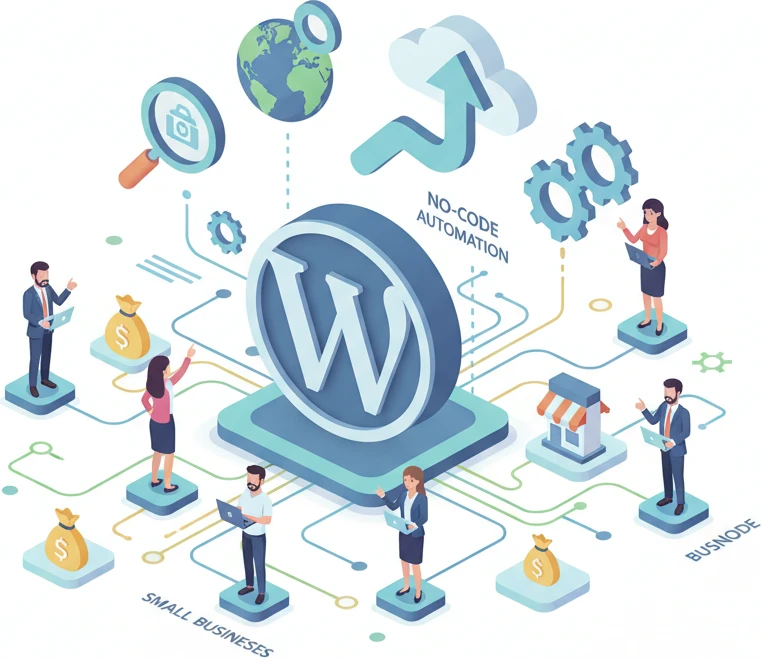
Brainstorming Initial Keywords: Think Like Your Customer
Keyword research is the foundation of any successful SEO strategy. Start by brainstorming a list of keywords and phrases that your target audience might use when searching for your products or services. Put yourself in your customers’ shoes and think about the questions they might ask. For KPIDM, this could include terms like “AI digital marketing training,” “digital marketing course for business owners,” “SEO for small business,” “AI-powered marketing tools,” or “prompt engineering for marketing.” Don’t overthink it at this stage; just create a comprehensive list of potential keywords.
Using Free Keyword Research Tools: Google Keyword Planner & More
Once you have a list of initial keywords, use free keyword research tools like Google Keyword Planner to refine your list and discover new keyword ideas. Google Keyword Planner provides valuable data on search volume, competition, and related keywords. Enter your initial keywords into the tool and analyze the results to identify high-potential keywords with a good balance of search volume and low competition. Other free tools include AnswerThePublic, which helps you find questions people are asking about your industry, and Google Trends, which shows you the popularity of different search terms over time. Note: Google Keyword Planner requires a Google Ads account, but you don’t need to run any ads to use the keyword research features.
Long-Tail Keywords: Targeting Specific Customer Needs
Long-tail keywords are longer, more specific phrases that target niche customer needs. While they have lower search volume than broader keywords, they also have lower competition and higher conversion rates. Examples of long-tail keywords for KPIDM include “AI-powered SEO audit for small business,” “online digital marketing training for business owners in India,” or “best prompt engineering course for marketing.” Focusing on long-tail keywords allows you to attract highly qualified traffic that is more likely to convert into leads or sales. Create content that directly addresses these specific needs, providing valuable information and solutions. The more specific your content is, the better chance you have of ranking for these types of search queries.
Essential WordPress SEO Plugins: Your No-Code Toolkit
Yoast SEO vs. Rank Math: A Quick Comparison (Focus on Ease of Use)
WordPress SEO plugins simplify the process of optimizing your website for search engines without requiring any coding knowledge. Two of the most popular plugins are Yoast SEO and Rank Math. Both offer a wide range of features, including title tag and meta description optimization, keyword analysis, XML sitemap generation, and schema markup implementation. For ease of use, many beginners find Rank Math to be slightly more intuitive, thanks to its user-friendly interface and setup wizard. However, Yoast SEO is also a solid choice with a large user base and plenty of documentation available. The best choice depends on your individual preferences and needs. Consider trying both plugins to see which one you find easier to use and more effective for your business.
Setting Up Your Chosen Plugin: Configuration Walkthrough
After installing your chosen SEO plugin (Yoast SEO or Rank Math), take the time to configure it properly. Both plugins offer setup wizards that guide you through the essential settings. This typically involves providing information about your website, such as your website name, business type, and target audience. You’ll also need to connect your website to Google Search Console to track your search performance and identify any crawl errors. Pay close attention to the plugin’s recommendations and follow the setup instructions carefully. A well-configured plugin will provide a solid foundation for your SEO efforts. Furthermore, make sure the site is verified in Google Search Console. This gives Google direct insight into your site and it gives you insight into how Google sees your site.
Leveraging the Plugin for On-Page Optimization: Title Tags, Meta Descriptions, and More
Once your SEO plugin is set up, you can start using it to optimize your individual pages and posts. Focus on crafting compelling title tags and meta descriptions that accurately reflect your content and entice users to click. Include your target keywords in your title tags and meta descriptions, but make sure they read naturally and avoid keyword stuffing. Use the plugin’s content analysis feature to identify any potential SEO issues and follow its recommendations to improve your on-page optimization. Additionally, use the plugin to generate an XML sitemap, which helps search engines crawl and index your website more efficiently. Be sure to submit this sitemap to Google Search Console. Properly optimized title tags and meta descriptions are key to improving your click-through rates from search results. For example, a compelling meta description for a blog post on AI-Powered SEO Audit might read: “Uncover hidden SEO issues with our AI-driven audit! Get a step-by-step guide to fixing ranking killers and boosting your website’s visibility.”
Optimizing Your Website Content: Writing for Humans and Search Engines
Creating High-Quality, Engaging Content: The ‘User First’ Approach
High-quality, engaging content is the cornerstone of any successful SEO strategy. In 2026, search engines are placing an even greater emphasis on content that provides value to users. Focus on creating content that is informative, well-written, and relevant to your target audience. Address their pain points, answer their questions, and provide actionable solutions. Don’t just write for search engines; write for humans first. If your content is engaging and valuable, it will naturally attract more backlinks, social shares, and organic traffic. Consider this: a blog post titled “5 AI-Powered SEO Tools Every Small Business Needs” is more engaging than a generic article about “SEO tips.” Always prioritize user experience and strive to create content that people will want to read, share, and link to.
Keyword Placement Best Practices: Where to Include Your Keywords (Naturally)
While creating high-quality content is paramount, it’s also important to strategically incorporate your target keywords into your content. Include your keywords in your title tags, meta descriptions, headings, subheadings, and body text. However, avoid keyword stuffing, which can harm your search engine rankings. The key is to use your keywords naturally and sparingly, focusing on providing value to the reader. Aim for a keyword density of around 1-2%, but don’t obsess over the exact number. The most important thing is to create content that is readable and informative. It should address the user’s search query without feeling forced or unnatural. For instance, if you are targeting “prompt engineering for business,” weave it naturally into sentences like, “Prompt engineering for business can transform your marketing campaigns.”
Content Readability: Making Your Content Easy to Understand (and Rank)
Content readability is a crucial factor in both user experience and search engine rankings. Make sure your content is easy to read and understand by using short paragraphs, clear headings, and bullet points. Avoid using complex jargon or technical terms that your target audience may not understand. Use tools like the Flesch Reading Ease test (often integrated into SEO plugins) to assess the readability of your content and make adjustments as needed. Aim for a readability score that is appropriate for your target audience. Content that is easy to read is more likely to be shared, linked to, and ultimately, rank higher in search results. Think about how people consume content online, they skim and scan. Use formatting to highlight important information and make your content visually appealing. A great example of optimizing content for readability is with step-by-step guides, because numbered lists increase user consumption and readability.
Image Optimization: Boosting SEO with Visual Content
Images are powerful. They draw attention, illustrate points, and improve user engagement. But poorly optimized images can significantly slow down your WordPress site, negatively impacting your SEO. Search engines consider page loading speed a crucial ranking factor. Therefore, optimizing images is not just about aesthetics, it’s a vital SEO task.
Choosing the Right Image Format: JPEG, PNG, or WebP?
Selecting the appropriate image format is the first step. JPEG (or JPG) is generally suitable for photographs and images with many colors because it uses lossy compression to reduce file size. PNG excels at images with text, logos, graphics with sharp lines, and transparent backgrounds, employing lossless compression. WebP, a modern image format developed by Google, provides superior lossless and lossy compression for images on the web. Choosing the right format depends on the image type. For photos, JPEG often provides the best balance of quality and file size. For graphics, PNG is often preferred. However, consider using WebP when possible for potentially even smaller file sizes and improved performance, especially if your WordPress plugins or theme supports it. You can use online converters to change image formats, but always compare the quality and file size afterwards. Prioritize image quality in the original format. Consider WebP for new images and convert existing ones gradually. Weigh the pros and cons; WebP offers smaller files but might not be compatible with all browsers, though this is less of a concern in 2026.
Compressing Images for Faster Loading Times: Tools and Techniques
Once you’ve chosen the right format, compression is key. Compressing images reduces their file size without sacrificing too much quality. There are many tools available for image compression. WordPress plugins like Smush, Imagify, and ShortPixel automatically compress images as you upload them. These are great if you want a streamlined workflow. Alternatively, you can use online tools like TinyPNG or ImageOptim (for Mac). These allow you to compress images before uploading them to WordPress. A key pitfall here is over-compression, which leads to noticeable pixelation and degrades the user experience. Experiment with different compression levels to find the sweet spot between file size and image quality. For example, you might find that a 60% compression ratio works well for JPEGs without significantly impacting visual clarity.
Alt Text: Describing Your Images for Search Engines and Accessibility
Alt text (alternative text) is a brief description of your image. It serves two primary purposes: it helps search engines understand what your image is about, and it provides context for users who can’t see the image (e.g., those using screen readers). When writing alt text, be descriptive and specific. Don’t just say “image” or “picture.” Instead, describe what the image shows and its relevance to the surrounding content. For example, if you have an image of a person using a digital marketing AI tool, your alt text might be “Person using digital marketing AI dashboard on laptop.” Include relevant keywords naturally, but avoid keyword stuffing. A good rule of thumb is to imagine you’re describing the image to someone who can’t see it. Remember, accessibility is as important as SEO. It ensures everyone can access and understand your website content.
Website Speed Optimization: A Key Ranking Factor You Can Control
Website speed is no longer optional; it’s critical for SEO and user experience. Slow-loading websites frustrate visitors, leading to high bounce rates and lower rankings. Search engines like Google prioritize fast-loading websites, favoring them in search results. Optimizing website speed is a multifaceted process, but it’s achievable with the right tools and techniques.
Checking Your Website Speed: Google PageSpeed Insights & GTmetrix
Before you can optimize your website speed, you need to know where you stand. Google PageSpeed Insights and GTmetrix are two popular tools for analyzing website speed and identifying areas for improvement. PageSpeed Insights provides a score based on various performance metrics and offers specific recommendations for optimization. GTmetrix provides detailed reports on page load time, page size, and the number of requests. It also identifies specific elements that are slowing down your website. When using these tools, pay attention to the metrics that matter most: First Contentful Paint (FCP), Largest Contentful Paint (LCP), and Time to Interactive (TTI). These metrics reflect how quickly your website’s content becomes visible and interactive to users. Aim for scores above 80 on both tools for optimal performance. Don’t get bogged down in aiming for perfect scores, as some recommendations might require significant technical expertise to implement. Focus on the low-hanging fruit first.
Simple Speed Optimization Tips: Caching, Image Optimization (Revisited)
Caching is a technique that stores static versions of your website’s pages, allowing them to load much faster for returning visitors. WordPress caching plugins like WP Rocket, W3 Total Cache, and LiteSpeed Cache make it easy to implement caching on your website. Image optimization, as discussed earlier, is another crucial speed optimization technique. Ensure all your images are properly compressed and optimized for web use. Other simple speed optimization tips include minifying CSS and JavaScript files (removing unnecessary characters and whitespace), enabling browser caching, and reducing the number of HTTP requests by combining files. For example, consider using a plugin to combine multiple CSS files into one. Regularly clean up your WordPress database to remove unnecessary data. A bloated database can slow down your website. Don’t underestimate the impact of small changes. Even seemingly minor optimizations can add up to significant improvements in website speed. Remember to retest your speed after each optimization to see the impact.
Choosing a Fast Hosting Provider: Impact on SEO
Your hosting provider plays a significant role in your website’s speed and performance. Shared hosting plans, while affordable, can often lead to slower loading times due to resource limitations. Consider upgrading to a VPS (Virtual Private Server) or managed WordPress hosting for better performance. Managed WordPress hosting providers specialize in hosting WordPress websites and offer optimized servers, caching mechanisms, and security features. When choosing a hosting provider, look for features like SSD storage, CDN (Content Delivery Network) integration, and server-level caching. Check the hosting provider’s uptime guarantee and customer support reputation. Downtime can negatively impact your SEO. Before committing to a hosting provider, read reviews and compare their pricing and features. Some hosting providers even offer free website migration services. Don’t be afraid to switch hosting providers if your current provider is not meeting your needs. For instance, a move from a shared hosting environment to a managed WordPress host can drastically improve website speed. The cost is easily offset by increased traffic and conversions.
Mobile-Friendliness: Ensuring Your Website Looks Great on Any Device
Mobile-friendliness is not only crucial for user experience, but it’s also a significant ranking factor for search engines. More than half of all web traffic now comes from mobile devices. Websites that are not optimized for mobile devices can suffer from lower rankings and high bounce rates. Google uses mobile-first indexing, which means it primarily uses the mobile version of your website for indexing and ranking. Therefore, ensuring your website is mobile-friendly is no longer optional; it’s essential.
Testing Your Website’s Mobile-Friendliness: Google’s Mobile-Friendly Test
Google’s Mobile-Friendly Test is a free tool that allows you to check if your website is mobile-friendly. Simply enter your website’s URL, and the tool will analyze your website’s design and functionality on mobile devices. The tool will provide a pass or fail result, along with specific recommendations for improvement. Pay close attention to issues like text that is too small to read, content that is wider than the screen, and touch elements that are too close together. These issues can frustrate mobile users and negatively impact your SEO. Regularly test your website’s mobile-friendliness, especially after making any changes to your website’s design or content. Consider testing individual pages as well, as some pages might be less mobile-friendly than others. Don’t just rely on the automated test; manually browse your website on different mobile devices to get a firsthand experience of the user experience.
Choosing a Responsive WordPress Theme: The Foundation of Mobile SEO
A responsive WordPress theme automatically adapts to different screen sizes and devices. This ensures your website looks and functions well on desktops, tablets, and smartphones. When choosing a WordPress theme, prioritize responsive design. Look for themes that are specifically designed for mobile-friendliness. Most premium WordPress themes are responsive, but it’s always a good idea to test the theme on different devices before purchasing it. Use Google’s Mobile-Friendly Test to check the theme’s responsiveness. Avoid themes that use fixed-width layouts or require separate mobile versions. These are outdated and can negatively impact your SEO. A well-designed responsive theme is the foundation of mobile SEO. It ensures your website provides a seamless user experience on all devices, which is what search engines and users want. Consider themes that offer customization options to tailor the mobile experience further, like simplified navigation or optimized content layouts.
Mobile Optimization Checklist: Navigation, Content, and More
Beyond choosing a responsive theme, there are other steps you can take to optimize your website for mobile devices. Simplify your website’s navigation to make it easy for mobile users to find what they’re looking for. Use a mobile-friendly menu design, such as a hamburger menu. Optimize your content for mobile devices by using short paragraphs, bullet points, and clear headings. Avoid large images or videos that can slow down your website’s loading time. Ensure your website’s forms are easy to fill out on mobile devices. Use large, clear form fields and minimize the number of fields required. Test your website’s touch targets to ensure they are large enough and spaced far enough apart to be easily tapped on mobile devices. For instance, confirm call-to-action buttons are easily tappable. A good example of mobile optimization is to use Accelerated Mobile Pages (AMP) for news articles, which can significantly improve loading times on mobile devices. While AMP isn’t universally required, it illustrates the principle of optimizing specifically for mobile contexts.
Internal Linking: Guiding Search Engines Through Your Website
Internal linking is the practice of linking one page of your website to another page on the same website. It’s a crucial SEO technique that helps search engines understand your website’s structure and content. Internal links also improve user experience by providing users with easy access to related content. A well-structured internal linking strategy can boost your website’s rankings and drive more traffic.
Creating a Logical Website Structure: Site Architecture and User Experience
A logical website structure is the foundation of effective internal linking. Plan your website’s architecture carefully, organizing your content into clear categories and subcategories. Use a hierarchical structure, with your homepage at the top and your most important pages linked directly from the homepage. This makes it easier for search engines to crawl and index your website. Avoid creating a flat website structure, where all pages are linked from the homepage. This can make it difficult for search engines to understand the relationships between different pages. A good rule of thumb is to aim for a website structure that is no more than three or four clicks deep. This means that users should be able to reach any page on your website in no more than three or four clicks from the homepage. Prioritize user experience when designing your website’s structure. A clear and intuitive structure will not only benefit SEO but also improve user engagement and conversions.
Strategic Internal Linking: Connecting Relevant Pages
Once you have a logical website structure, you can start implementing strategic internal linking. Identify pages on your website that are related to each other and link them together. When linking between pages, use relevant anchor text that describes the content of the destination page. For example, if you’re writing a blog post about SEO and you mention a specific AI tool, link to a relevant service page on AI-powered SEO audits. Avoid linking to irrelevant pages or using generic anchor text like “click here.” Focus on providing value to your users by connecting them to helpful and informative content. Don’t overdo it with internal links. A few well-placed internal links are more effective than a large number of irrelevant links. Aim for a natural and organic flow of links within your content. For instance, if your primary service is AI marketing training, and you’re discussing content creation, consider linking to a page about AI for content marketing. Also, remember to update your internal links as you add new content to your website.
Anchor Text Best Practices: Using Descriptive and Relevant Links
Anchor text is the visible, clickable text of a link. It plays a crucial role in SEO because it tells search engines what the destination page is about. Use descriptive and relevant anchor text that accurately reflects the content of the destination page. Avoid using generic anchor text like “click here,” “read more,” or “this website.” These phrases don’t provide any information to search engines or users. Instead, use keywords and phrases that are relevant to the topic of the destination page. For example, if you’re linking to a page about “digital marketing training with AI,” use that phrase as your anchor text. Avoid keyword stuffing in your anchor text. Use keywords naturally and avoid repeating the same keyword multiple times. Vary your anchor text to avoid over-optimization. Use different variations of your target keywords and phrases. For instance, instead of always using “digital marketing training,” you could also use “AI marketing courses” or “AI digital marketing training guide“. This helps to create a more natural and diverse link profile. Also, make sure the anchor text fits naturally within the sentence. The link should enhance the readability of the content.
Monitoring Your SEO Progress: Tracking Key Metrics with Google Analytics
Setting Up Google Analytics: Tracking Website Traffic and User Behavior
Before you can improve your SEO, you need to know where you stand. Google Analytics is the go-to tool for tracking your website’s performance. Setting it up involves creating a Google Analytics account and adding a tracking code to your WordPress website. Most WordPress users opt for a plugin like MonsterInsights or GA Google Analytics to simplify this process. These plugins allow you to connect your Analytics account without directly editing your theme’s code. Make sure you enable demographic and interest reporting to gain insights into your audience. A critical decision is whether to use Google Analytics 4 (GA4), the latest version. While Universal Analytics is no longer processing new data, GA4 offers enhanced privacy features and cross-platform tracking. Start with GA4 for future-proof tracking, but consider setting up dual tracking (both Universal Analytics and GA4) if you want historical data for comparison, bearing in mind UA no longer collects data.
Identifying Key SEO Metrics: Organic Traffic, Keyword Rankings, and More
Once Google Analytics is set up, focus on the metrics that truly matter for SEO. Organic traffic, the number of visitors arriving from search engines, is a primary indicator of your SEO success. Monitor this trend over time. Keyword rankings show where your website ranks in search results for specific keywords. Use tools like Semrush or Ahrefs to track these. Also track bounce rate, which measures the percentage of visitors who leave your site after viewing only one page. A high bounce rate may indicate poor content or a slow loading website. Additionally, pay attention to pages per session and average session duration. These metrics show how engaged visitors are with your content. Low numbers might suggest that your content doesn’t meet user expectations or that your site’s navigation needs improvement. Monitoring these metrics will give you a solid understanding of your site’s SEO health.
Using Data to Improve Your SEO Strategy: A Continuous Improvement Cycle
The real power of Google Analytics lies in using its data to refine your SEO strategy. For example, if you notice a particular blog post is driving significant organic traffic, analyze its keywords and content structure. Then, apply those insights to optimize other posts. If your bounce rate is high on a specific page, consider improving its content, design, or loading speed. Check the page’s keywords to see if they align with the user’s intent. Ahrefs offers a wealth of information on search intent. Also, regularly review your keyword rankings. If you’re not ranking for your target keywords, revisit your keyword research and update your content accordingly. This iterative process of tracking, analyzing, and optimizing is essential for sustained SEO success. It’s an ongoing cycle: identify areas for improvement, implement changes, and then monitor the results in Google Analytics to see if those changes are having the desired effect. Use a spreadsheet to track changes and their impact on key metrics to better understand what works and what doesn’t.
Local SEO for Small Businesses: Getting Found in Your Community
Claiming and Optimizing Your Google Business Profile: A Must-Do for Local SEO
For small businesses with a physical location, local SEO is critical. Start with your Google Business Profile (GBP). Claim your listing (or create one if it doesn’t exist) and fill out every section completely and accurately. Include your business name, address, phone number, website URL, business hours, and a detailed description of your products or services. Select relevant business categories. Upload high-quality photos of your business, both inside and out. Encourage customers to leave reviews on your GBP listing. A complete and optimized GBP listing increases your visibility in local search results and on Google Maps. Regularly update your GBP with new photos, posts about special offers, and responses to customer reviews. Consider adding questions and answers to address common customer inquiries directly on your profile. Make sure your business hours are accurate, especially during holidays. Think of your GBP as your digital storefront, making a positive first impression on potential local customers.
Building Local Citations: Listing Your Business in Online Directories
Local citations are mentions of your business name, address, and phone number (NAP) on other websites. These citations help search engines verify your business’s existence and location. Focus on building citations on reputable online directories like Yelp, Yellow Pages, and industry-specific directories. Ensure your NAP information is consistent across all citations. Inconsistencies can confuse search engines and hurt your local SEO. Use a citation management tool like BrightLocal or Whitespark to identify citation opportunities and track your existing citations. Prioritize quality over quantity. A few high-quality citations from authoritative websites are more valuable than many low-quality citations. Check your citations regularly to ensure they’re accurate and up-to-date. Consider building citations on local news websites or blogs that cover businesses in your area. Consistent and accurate citations demonstrate to search engines that your business is a legitimate and established entity in your community, helping your business achieve better local rankings.
Encouraging Customer Reviews: Building Trust and Authority
Customer reviews play a significant role in local SEO. Positive reviews build trust and credibility, encouraging potential customers to choose your business. Encourage satisfied customers to leave reviews on your Google Business Profile and other review platforms. Make it easy for customers to leave reviews by providing direct links to your review profiles. Respond to all reviews, both positive and negative. Thank customers for positive reviews and address any concerns raised in negative reviews. Acknowledge any mistakes and offer solutions to demonstrate your commitment to customer satisfaction. Don’t be afraid to ask for reviews; a simple request after a positive customer experience can go a long way. Highlight positive reviews on your website to further build trust. Monitor your online reputation regularly and address any negative feedback promptly. A strong online reputation with plenty of positive reviews will attract more customers and improve your local search rankings. Positive reviews, as well as reviews that are replied to professionally, are key to converting searchers into customers.
Avoiding Common WordPress SEO Mistakes (and How to Fix Them)
Ignoring Mobile Optimization: The Perils of a Non-Responsive Website
In 2026, having a mobile-friendly website is non-negotiable. Google uses mobile-first indexing, meaning it primarily crawls and indexes the mobile version of your website. If your website isn’t responsive (adapts to different screen sizes), you’re losing out on significant search visibility. Use Google’s Mobile-Friendly Test to check your website’s mobile-friendliness. If your website fails the test, consider switching to a responsive WordPress theme or hiring a web developer to make your current theme responsive. Optimize your website’s loading speed on mobile devices by compressing images and leveraging browser caching. Ensure your website’s navigation is easy to use on smaller screens. Mobile optimization is not just about pleasing Google; it’s about providing a good user experience for the majority of your website visitors. Ignoring mobile optimization means alienating a large portion of your audience and damaging your search engine rankings.
Keyword Stuffing: The Old-School Tactic That Hurts Your Rankings
Keyword stuffing, the practice of excessively using keywords in your content, is an outdated and harmful SEO tactic. Search engines now prioritize natural, high-quality content. Stuffing keywords makes your content sound unnatural and can lead to penalties. Instead of focusing on keyword density, focus on creating valuable content that answers users’ questions and addresses their needs. Use keywords naturally within your content, where they make sense. Focus on topical authority, which the article SEO Strategy for AI: A Small Business Owner’s Guide, mentions involves covering a topic comprehensively. Use synonyms and related terms to add variety to your content. Read your content aloud to ensure it sounds natural. If you suspect you’ve stuffed keywords in the past, revise your content to remove the excessive keywords and focus on providing value to the reader. Prioritize user experience over keyword density to maintain high rankings and provide a good customer experience.
Neglecting Website Security: Protecting Your Website and SEO
Website security is crucial for SEO. A hacked website can be penalized by search engines and lose its rankings. Implement basic security measures like using a strong password, keeping WordPress and its plugins up-to-date, and installing a security plugin like Wordfence or Sucuri Security. Use HTTPS by obtaining an SSL certificate. Google favors websites that use HTTPS. Regularly back up your website to protect against data loss. Monitor your website for malware and other security threats. A secure website not only protects your data and your visitors’ information but also signals to search engines that your website is trustworthy, which can positively impact your SEO. Security and SEO go hand in hand, so don’t neglect this critical aspect of your website management.
Your No-Code SEO Journey: From Beginner to Confident Website Owner
Staying Up-to-Date with SEO Best Practices: A Continuous Learning Process
SEO is a constantly evolving field. Search engine algorithms change regularly, so it’s important to stay up-to-date with the latest best practices. Follow reputable SEO blogs and industry publications, attend webinars and conferences, and participate in online communities. Google Search Central is a great resource for understanding Google’s guidelines. Experiment with new SEO techniques and track your results. Don’t be afraid to adapt your strategy as needed. SEO is a continuous learning process, and staying informed is key to long-term success. Even with AI-powered tools becoming more prevalent, it’s important to learn the foundations of SEO so that you know how to prompt engineer for the best results.
Outsourcing SEO Help: When to Consider Hiring an Expert (and What to Look For)
While this guide provides a foundation for no-code SEO, there may come a time when you need professional help. Consider hiring an SEO expert if you’re struggling to see results, if your website is facing technical issues, or if you simply don’t have the time to dedicate to SEO. When hiring an SEO expert, look for someone with a proven track record, a strong understanding of search engine algorithms, and experience in your industry. Ask for case studies and references. Be wary of SEO providers who guarantee specific rankings or use black-hat SEO tactics. Focus on finding an expert who can provide a holistic SEO strategy and help you achieve your long-term goals. Consider that digital marketing training from a source like KPIDM can help you understand the basics enough to make a good hiring decision.
Celebrating Your SEO Successes: Acknowledge Your Achievements and Keep Growing
SEO is a marathon, not a sprint. It takes time and effort to see results. Celebrate your achievements along the way, no matter how small. Acknowledge the hard work you’ve put in and the progress you’ve made. Use your successes as motivation to keep growing and improving your SEO strategy. Share your successes with your team and celebrate together. Recognizing your accomplishments will help you stay motivated and focused on your long-term SEO goals. By tracking your progress with Google Analytics and other SEO tools, you can learn where you started and how far you have come. Remember that SEO is not a destination, but a journey. Enjoy the process of learning, experimenting, and growing your online presence.
This no-code SEO guide for WordPress has covered key areas: monitoring progress with analytics, optimizing for local search, avoiding common mistakes, and charting a course for continuous growth. Implement these strategies, stay curious, and watch your website climb the search rankings.